> For the complete documentation index, see [llms.txt](https://docs.perfectscale.io/llms.txt). Markdown versions of documentation pages are available by appending `.md` to page URLs; this page is available as [Markdown](https://docs.perfectscale.io/2.0-self-hosted-or-perfectscale-documentation/visibility-and-optimization/podfit-or-vertical-pod-right-sizing/limitrange-and-resourcequota.md).
# LimitRange and ResourceQuota
This page explains how PerfectScale handles LimitRange and ResourceQuota in your clusters, ensuring compliance with your specified resource allocation constraints
{% hint style="info" %}
For LimitRange and ResourceQuota support, a minimum exporter version of v1.0.42 is required.
{% endhint %}
## LimitRange
In some cases, you may want to constrain minimum and maximum computing resource usage per pod or container in a namespace by configuring LimitRange. PerfectScale respects your policy to constrain the resource allocations that you specified for your pods and containers in the namespace and doesn't contradict it.
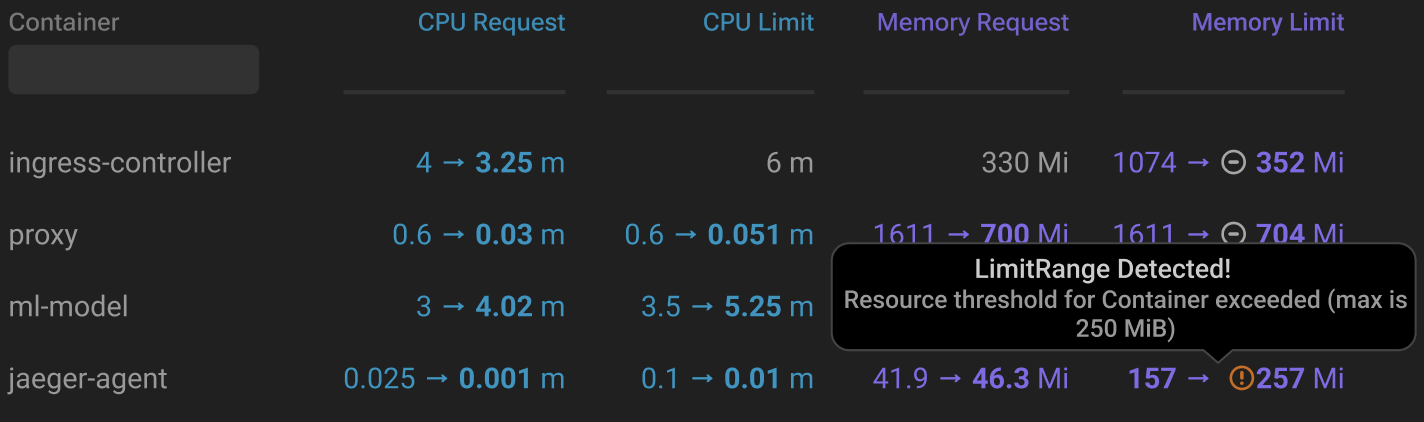
When PerfectScale detects that its recommended resource allocation either exceeds or falls below the specified LimitRange for your pods and containers, the relevant indicator will be raised.
LimitRange detected
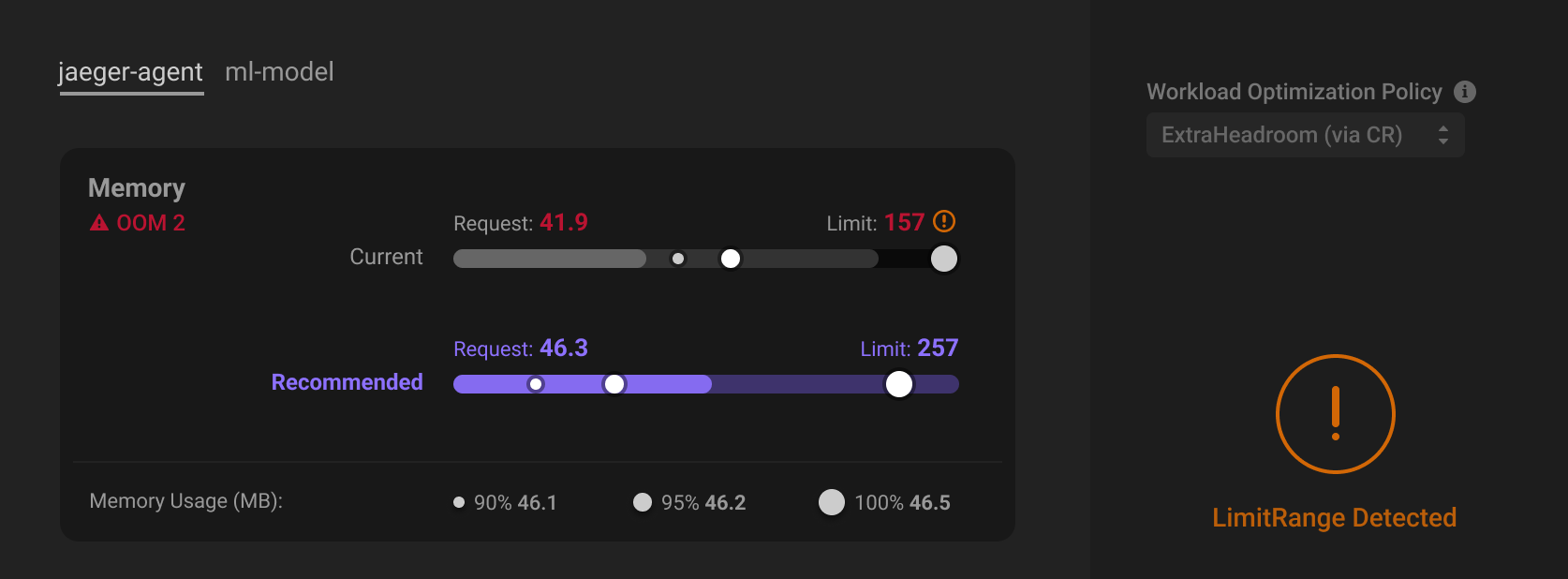
Hover over the indicator or click on the workload to view detailed information.
LimitRange details
{% hint style="info" %}
For automated workloads, if the recommended resource allocation exceeds or falls below the specified LimitRange, PerfectScale will not apply the recommendation. Instead, it will automatically adjust the resource allocation to the maximum or minimum value the LimitRange allows, ensuring compliance with your predefined constraints.

{% endhint %}
{% hint style="warning" %}
When introducing or updating a LimitRange into an automated cluster, it is necessary to pause automation for at least 30 minutes to ensure that resource constraints are applied correctly before resuming automated operations.
{% endhint %}
## ResoureQuota
In some scenarios, you might want to constrain the overall resource consumption within a namespace by ResourceQuota to ensure that the total usage across all workloads stays within specific limitations.
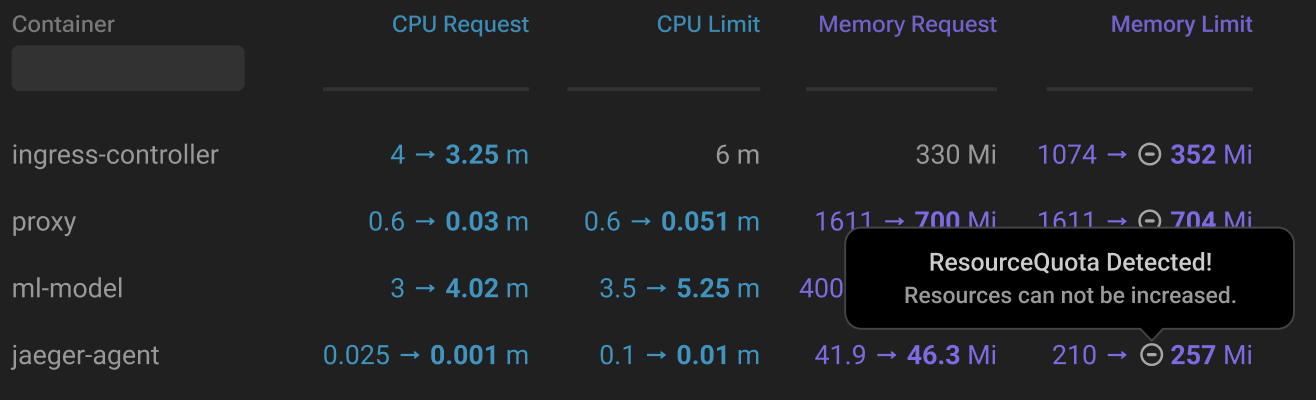
When PerfectScale detects the ResourceQuota configured, the relevant indicator will be raised.
ResourceQuota detected
Hover over the indicator or click on the workload to access the details.
{% hint style="info" %}
For **automated workloads**, if a ResourceQuota is detected, PerfectScale will apply recommendations in **decrease-only** mode to ensure constraints are respected. However, recommendations will still be available.
{% endhint %}
{% hint style="warning" %}
When introducing or updating a ResourceQuota into an automated cluster, it is necessary to pause automation for at least 30 minutes to ensure that resource constraints are applied correctly before resuming automated operations.
{% endhint %}