> For the complete documentation index, see [llms.txt](https://docs.perfectscale.io/llms.txt). Markdown versions of documentation pages are available by appending `.md` to page URLs; this page is available as [Markdown](https://docs.perfectscale.io/2.0-self-hosted-or-perfectscale-documentation/configure-alerts/alerts-overview/alerts-acknowledgement.md).
# Alerts acknowledgement
Ensure each critical issue is acknowledged and properly addressed
The Alerts Acknowledgement feature helps to indicate to team members that the ownership of a specific alert has been taken, so every user in the system will be aware that the alert is not being ignored.
Alert acknowledgment
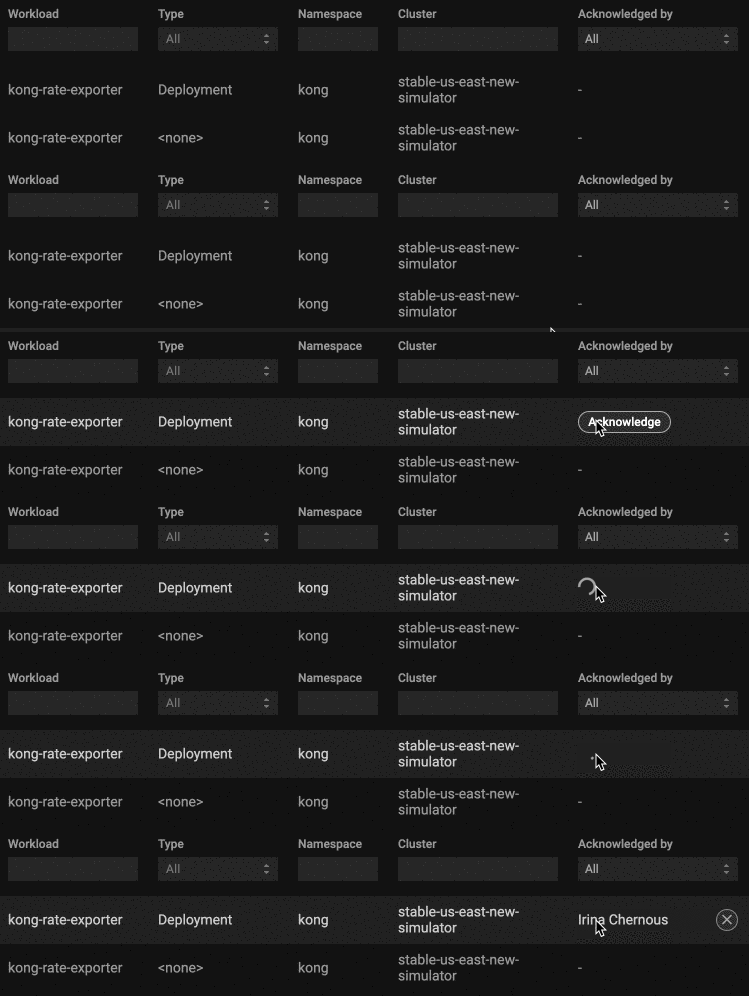
To acknowledge an alert, hover over it and click `Acknowledge`.
Acknowledge the alert
Once someone takes ownership of the alert, their name will be displayed in the `Acknowledge by` column. If the integration with [Slack](/2.0-self-hosted-or-perfectscale-documentation/customize-workflow/communication-and-messaging/slack-integration.md) or [MS Teams](/2.0-self-hosted-or-perfectscale-documentation/customize-workflow/communication-and-messaging/ms-teams-integration.md) is configured, other system users will be notified about it via the selected communication channel
Any user can unacknowledge an alert and then acknowledge it to take ownership of it.\
To override the ownership of the Alert, click the :heavy\_multiplication\_x: icon against the Alert and then click `Acknowledge`.
UnAcknowledge the alert
{% hint style="info" %}
In order to start receiving notification of acknowledged or unacknowledged alerts, a [Slack](/2.0-self-hosted-or-perfectscale-documentation/customize-workflow/communication-and-messaging/slack-integration.md) or [MS Teams](/2.0-self-hosted-or-perfectscale-documentation/customize-workflow/communication-and-messaging/ms-teams-integration.md) integration should be set up, and the relevant profile should be connected to the cluster.
{% endhint %}
.png)